
Contents
Understanding Desktop Operating Systems in Business
In the digital age, desktop operating systems (OS) serve as the backbone for business operations, providing the essential interface between users and their hardware. A desktop operating system is a software platform that manages computer hardware and software resources, enabling users to perform tasks efficiently. Its primary purpose in a business context is to facilitate productivity, streamline workflows, and enhance communication within organizations of all sizes. Whether a small startup or a large enterprise, the choice of desktop operating system can significantly impact operational efficiency, employee satisfaction, and overall business success.
The relevance of desktop operating systems extends across various industries, including finance, healthcare, education, and manufacturing. For instance, in the finance sector, robust OS platforms are crucial for running complex financial modeling software and ensuring secure transactions. In healthcare, desktop operating systems support critical applications that manage patient records and facilitate communication between medical staff. Educational institutions rely on desktop OS for administrative tasks and e-learning platforms, while manufacturing industries utilize them for inventory management and production control.
Key Functions of Desktop Operating Systems
Desktop operating systems provide a range of functionalities that are vital for business operations:
-
User Interface Management
A desktop OS offers a graphical user interface (GUI) that allows users to interact with the computer easily. This simplicity is crucial for training employees and ensuring they can navigate the system without extensive technical knowledge.
-
Resource Management
The OS manages hardware resources, including CPU, memory, and storage, optimizing performance and ensuring that applications run smoothly. This is particularly important for businesses that rely on resource-intensive applications.
-
Application Support
Desktop operating systems provide a platform for running various business applications, from word processors to complex enterprise resource planning (ERP) systems. Compatibility with software is a key consideration for organizations when selecting an OS.
-
Security Features
While safety is not the primary focus, the built-in security features of desktop operating systems, such as user authentication, encryption, and firewall capabilities, are essential for protecting sensitive business data.
-
Networking Capabilities
Desktop OS facilitates networking, enabling devices to connect and communicate within a local area network (LAN) or the internet. This is critical for collaboration and data sharing among employees.
Industries and Situations Where Desktop Operating Systems Shine
The choice of a desktop operating system can vary significantly based on industry needs and organizational size. Here are some scenarios where desktop OS plays a pivotal role:
-
Small Businesses
For small businesses, cost-effectiveness and ease of use are paramount. Lightweight operating systems that require minimal resources can help keep hardware costs down while providing essential functionalities.
-
Corporate Environments
Large organizations often require robust desktop operating systems that support a wide array of applications and provide advanced security features to safeguard sensitive information.
-
Creative Industries
Industries such as graphic design and video production benefit from high-performance desktop operating systems that can handle demanding software like Adobe Creative Suite or Final Cut Pro.
-
Healthcare
In healthcare, compliance with regulations such as HIPAA necessitates the use of secure desktop operating systems that can protect patient data while supporting specialized medical applications.
-
Education
Educational institutions require desktop operating systems that can support a variety of learning management systems (LMS) and administrative software, ensuring that both students and staff can access necessary resources.
In summary, desktop operating systems are a fundamental component of modern business infrastructure. Their ability to enhance productivity, support various applications, and provide essential security features makes them relevant across industries, from small businesses to large enterprises. Understanding the specific needs of an organization can guide the selection of the most suitable desktop operating system, ultimately influencing the success of business operations.
How Desktop Operating Systems Function in Business
Desktop operating systems serve as the critical interface between users and computer hardware, enabling businesses to operate efficiently and effectively. The functionality of these systems is rooted in several key components that work together to support various business operations.
Core Components of Desktop Operating Systems
-
Kernel
The kernel is the core part of the operating system, managing system resources and facilitating communication between hardware and software. It ensures that applications have the necessary resources to function without conflict.
-
User Interface
The user interface, typically graphical, allows users to interact with the system through visual elements like windows, icons, and menus. A well-designed interface enhances user experience and reduces the learning curve for employees.
-
File Management System
This component organizes and manages data storage, allowing users to create, access, and manipulate files efficiently. An effective file management system is crucial for maintaining data integrity and accessibility.
-
Device Drivers
Device drivers are specialized software that enable the operating system to communicate with hardware peripherals, such as printers, scanners, and external storage devices. Proper driver support ensures that all hardware components function seamlessly.
-
Security Features
Built-in security features, including user authentication, encryption, and access controls, protect sensitive business data from unauthorized access. This is particularly important in industries handling confidential information.
Role in Supporting Business Operations
Desktop operating systems play a vital role in enhancing business operations through several avenues:
-
Improving Efficiency
By providing a stable and user-friendly environment, desktop operating systems enable employees to complete tasks more quickly. For example, a well-optimized OS can reduce application load times and improve system responsiveness, allowing staff to focus on their work rather than troubleshooting technical issues.
-
Facilitating Collaboration
Many desktop operating systems support networking and cloud integration, enabling teams to collaborate in real-time. This is especially beneficial for businesses with remote workers or multiple locations, as it allows seamless file sharing and communication.
-
Enhancing Decision-Making
With the ability to run sophisticated data analysis and reporting tools, desktop operating systems empower businesses to make informed decisions. For instance, organizations can use business intelligence software to analyze sales data and identify trends, leading to more strategic planning.
-
Boosting Competitiveness
By leveraging the latest software applications and tools available on desktop operating systems, businesses can stay ahead of competitors. For example, companies that utilize advanced customer relationship management (CRM) systems can better understand customer needs and tailor their offerings accordingly.
Advantages of Desktop Operating Systems
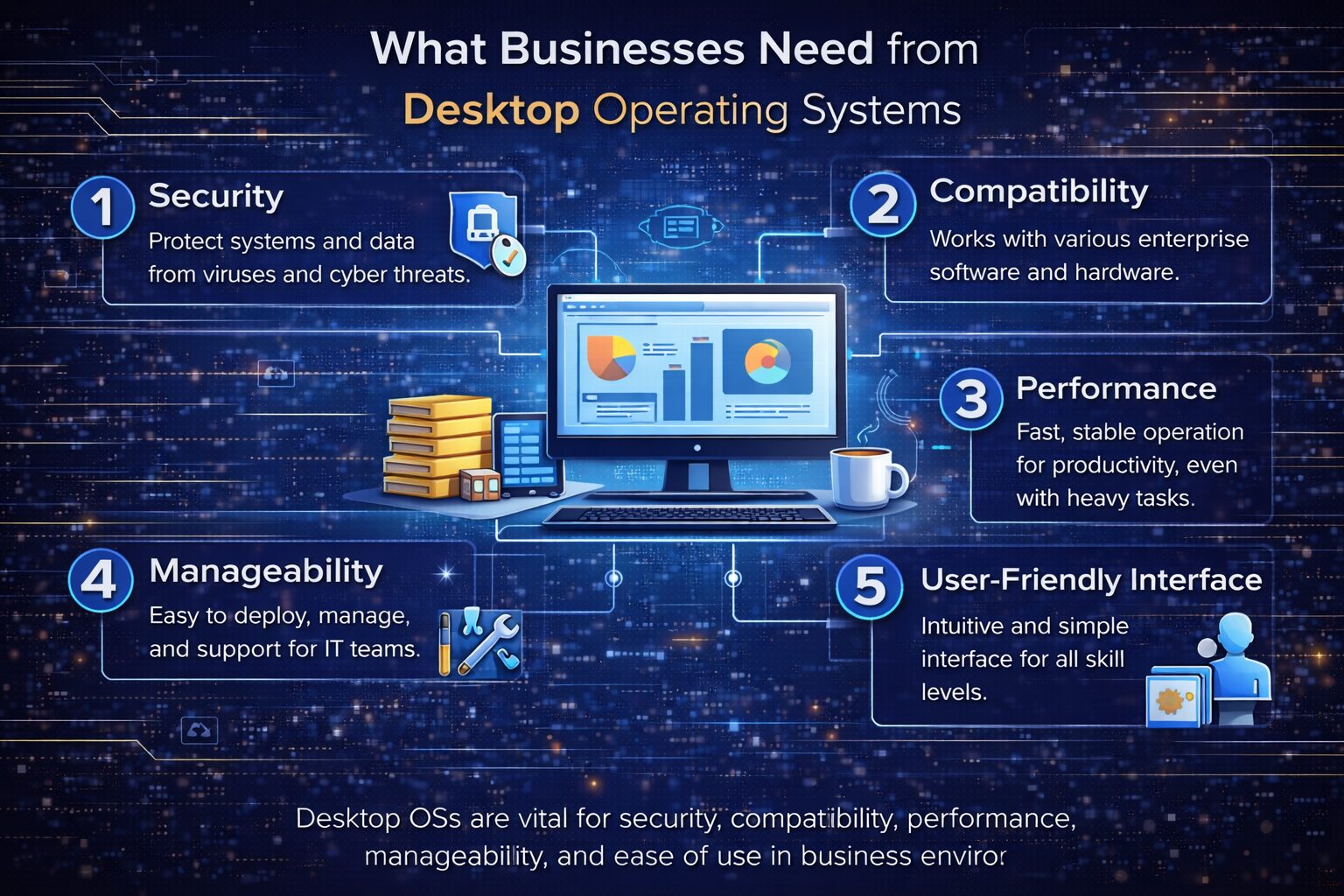
The benefits of desktop operating systems in a business context are numerous:
- Cost-Effectiveness: Many desktop operating systems offer free or low-cost licensing options, making them accessible for small businesses.
- Wide Application Support: A variety of software applications are compatible with popular desktop operating systems, allowing businesses to choose the tools that best meet their needs.
- Scalability: Desktop operating systems can be easily upgraded to accommodate growing business demands, ensuring that organizations can adapt as they expand.
- Customization: Many operating systems allow for customization, enabling businesses to tailor their environments to fit specific operational requirements.
Potential Drawbacks
Despite their advantages, desktop operating systems also come with potential drawbacks:
- Resource Intensive: Some desktop operating systems require significant hardware resources, which can lead to increased costs for businesses needing to upgrade their systems.
- Compatibility Issues: Not all software applications work seamlessly with every operating system, which can create challenges when integrating new tools or transitioning from one OS to another.
- Security Vulnerabilities: While many desktop operating systems include security features, they are not immune to threats. Businesses must remain vigilant and implement additional security measures to protect sensitive data.
Real-World Applications and Impact
The influence of desktop operating systems on business operations can be observed across various sectors:
-
Finance
Financial institutions rely on desktop operating systems to run complex financial modeling software and manage transactions securely. The efficiency of these systems directly impacts the speed and accuracy of financial reporting.
-
Healthcare
In healthcare settings, desktop operating systems support electronic health record (EHR) systems, facilitating quick access to patient information and improving care delivery. The ability to maintain accurate records is crucial for compliance and patient safety.
-
Education
Educational institutions utilize desktop operating systems for administrative tasks and e-learning platforms, enhancing the learning experience for students and streamlining operations for staff.
-
Manufacturing
Manufacturing companies use desktop operating systems to manage inventory, production schedules, and supply chain logistics. The ability to analyze data in real-time helps optimize operations and reduce costs.
In summary, desktop operating systems are integral to the functionality and success of modern businesses. By understanding their components, advantages, and potential drawbacks, organizations can make informed decisions that enhance efficiency, support collaboration, and improve competitiveness in their respective industries.
Guidance for Assessing Desktop Operating Systems
Choosing the right desktop operating system for a business is a critical decision that can impact productivity, security, and overall operational efficiency. To make an informed choice, organizations should evaluate various criteria and follow a structured implementation process. Below are the key evaluation criteria and steps for assessing and implementing a desktop operating system.
Evaluation Criteria
When assessing desktop operating systems, businesses should consider the following criteria:
| Criteria | Description |
|---|---|
| Cost | Evaluate the total cost of ownership, including licensing fees, hardware requirements, and ongoing maintenance costs. |
| Scalability | Determine how well the operating system can grow with the business, accommodating more users and applications as needed. |
| Compatibility | Assess the OS’s compatibility with existing software applications, hardware, and peripherals to avoid integration issues. |
| Security | Review the built-in security features, such as user authentication and data encryption, to protect sensitive business information. |
| User Adoption | Consider the learning curve for employees and the availability of training resources to facilitate smooth user adoption. |
Steps for Implementation
Implementing a desktop operating system involves several key steps to ensure a successful transition:
-
Define Requirements
Begin by identifying the specific needs of the organization. This includes understanding the types of applications that will be used, the number of users, and any regulatory compliance requirements.
-
Conduct Market Research
Research available desktop operating systems that meet the defined requirements. Consider factors such as user reviews, industry recommendations, and vendor support.
-
Evaluate and Test
Select a few operating systems for a pilot test. Evaluate their performance, user experience, and compatibility with existing systems. Gather feedback from users during this phase.
-
Plan Migration Strategy
Develop a detailed migration plan that outlines how the transition will occur. This should include timelines, resource allocation, and risk management strategies.
-
Training and Support
Provide training sessions for employees to familiarize them with the new operating system. Ensure that support resources are available for troubleshooting and assistance.
-
Monitor and Optimize
After implementation, continuously monitor the performance of the operating system. Collect user feedback to identify areas for improvement and optimization.
Challenges Businesses Might Face
While implementing a desktop operating system can yield significant benefits, businesses may encounter several challenges:
-
Resistance to Change
Employees may be resistant to adopting a new operating system, especially if they are accustomed to a different one. Change management strategies are essential to address this issue.
-
Compatibility Issues
There may be compatibility issues with existing software applications or hardware. Conducting thorough testing before full deployment can help mitigate this risk.
-
Training Costs
Providing adequate training may require time and financial resources, which can be a concern for small businesses. Consider leveraging online training resources to reduce costs.
-
Security Concerns
Transitioning to a new operating system may expose the organization to security vulnerabilities if not managed properly. Implement robust security measures during and after the migration process.
Additional Considerations

Beyond the initial assessment and implementation, businesses should also consider ongoing evaluation and improvement:
-
Regular Updates
Ensure that the operating system is regularly updated to protect against security vulnerabilities and to take advantage of new features.
-
User Feedback
Continuously gather user feedback to identify pain points and areas for improvement. This can help in making informed decisions for future upgrades.
-
Performance Metrics
Establish performance metrics to evaluate the effectiveness of the operating system in meeting business goals. This can include productivity levels, system uptime, and user satisfaction.
By following these guidelines, businesses can effectively assess and implement a desktop operating system that aligns with their operational needs and enhances overall productivity. The right choice can lead to improved efficiency, better decision-making, and a stronger competitive edge in the market.
Summary of Key Points
Desktop operating systems play a crucial role in the operational efficiency of businesses across various sectors. By serving as the interface between users and hardware, they facilitate productivity, enhance collaboration, and support decision-making processes.
Importance of Desktop Operating Systems
The significance of desktop operating systems can be summarized through the following points:
-
Efficiency and Productivity
A well-chosen desktop operating system can streamline workflows, reduce downtime, and enhance overall productivity. Organizations that optimize their OS can see a significant increase in employee output.
-
Cost-Effectiveness
Many desktop operating systems offer affordable licensing options, making them accessible for businesses of all sizes. This is particularly beneficial for small businesses with limited budgets.
-
Scalability
Desktop operating systems can grow with the business, allowing for easy upgrades and the addition of new users or applications as needed.
-
Security Features
Built-in security measures help protect sensitive data, which is essential for maintaining customer trust and compliance with regulations.
-
User Adoption and Training
A user-friendly interface can facilitate quicker adoption by employees, reducing the time and resources needed for training.
Supporting Statistics and Case Studies
The impact of desktop operating systems on business performance is supported by various statistics and case studies:
-
Productivity Gains
According to a study by McKinsey, organizations that effectively leverage technology, including operating systems, can increase productivity by up to 20-25%.
-
Cost Savings
A report from Gartner indicates that businesses can save an average of 30% on IT costs by adopting cloud-based desktop operating systems compared to traditional on-premises solutions.
-
Security Improvements
A survey by Cybersecurity Ventures predicts that cybercrime will cost businesses over $10 trillion annually by 2025, highlighting the importance of robust security features in desktop operating systems.
-
Case Study: Healthcare
A healthcare provider that transitioned to a more secure desktop operating system reported a 40% reduction in data breaches, demonstrating the critical role of OS in safeguarding sensitive information.
Future Trends in Desktop Operating Systems
As technology continues to evolve, several trends are expected to shape the future of desktop operating systems in the business world:
-
Increased Adoption of Cloud-Based Solutions
More businesses are likely to shift towards cloud-based desktop operating systems, allowing for greater flexibility, remote access, and reduced hardware costs.
-
Integration with Artificial Intelligence
Future desktop operating systems may incorporate AI capabilities to enhance user experience, automate routine tasks, and provide intelligent analytics for better decision-making.
-
Focus on Cybersecurity
As cyber threats become more sophisticated, desktop operating systems will need to prioritize security features, including advanced encryption and real-time threat detection.
-
Customization and Personalization
Businesses will seek operating systems that allow for greater customization to fit their unique workflows and operational needs.
By understanding the importance of desktop operating systems and their impact on business operations, organizations can make informed decisions that enhance productivity, security, and competitiveness in an increasingly digital landscape.